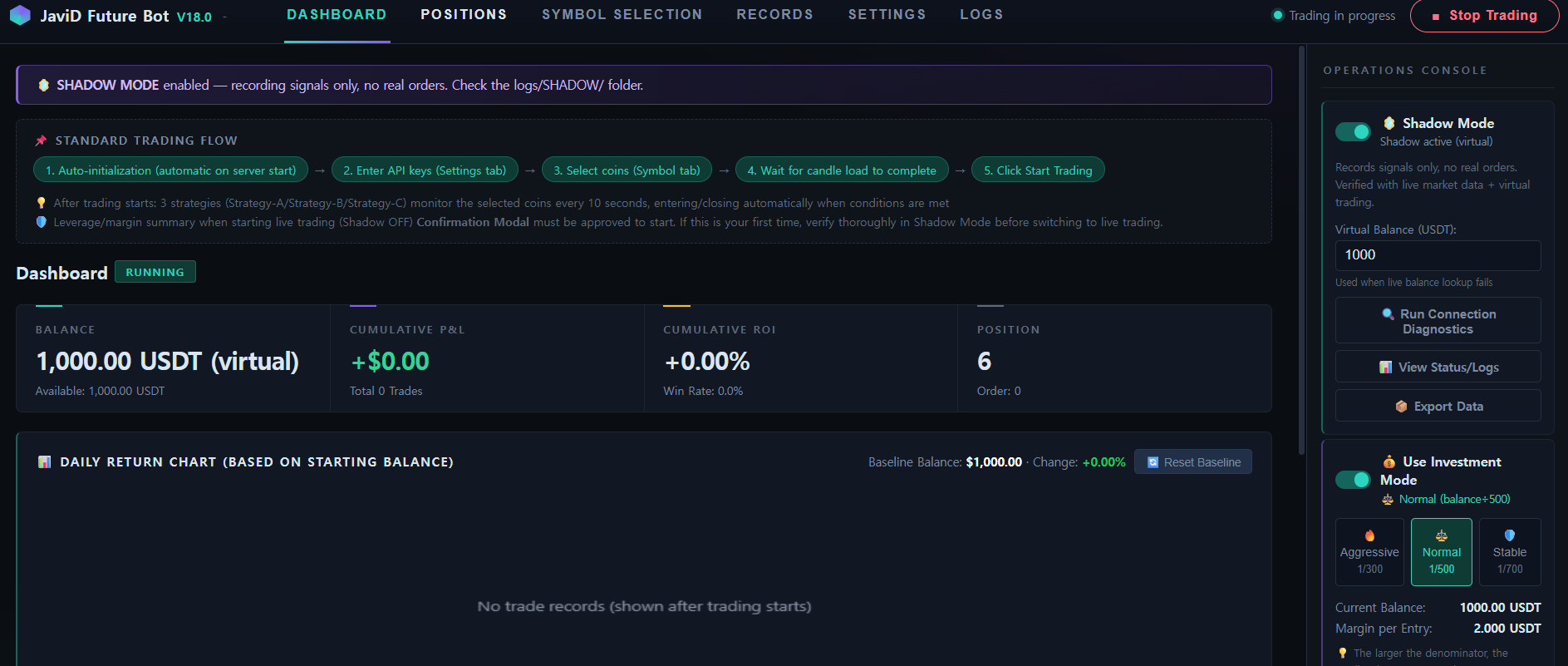
Note: the dashboard shown below is the same software used across all exchange editions. For the Bitget-specific API key fields (Key, Secret, and Passphrase), see the Bitget Setup Guide.
Step 1
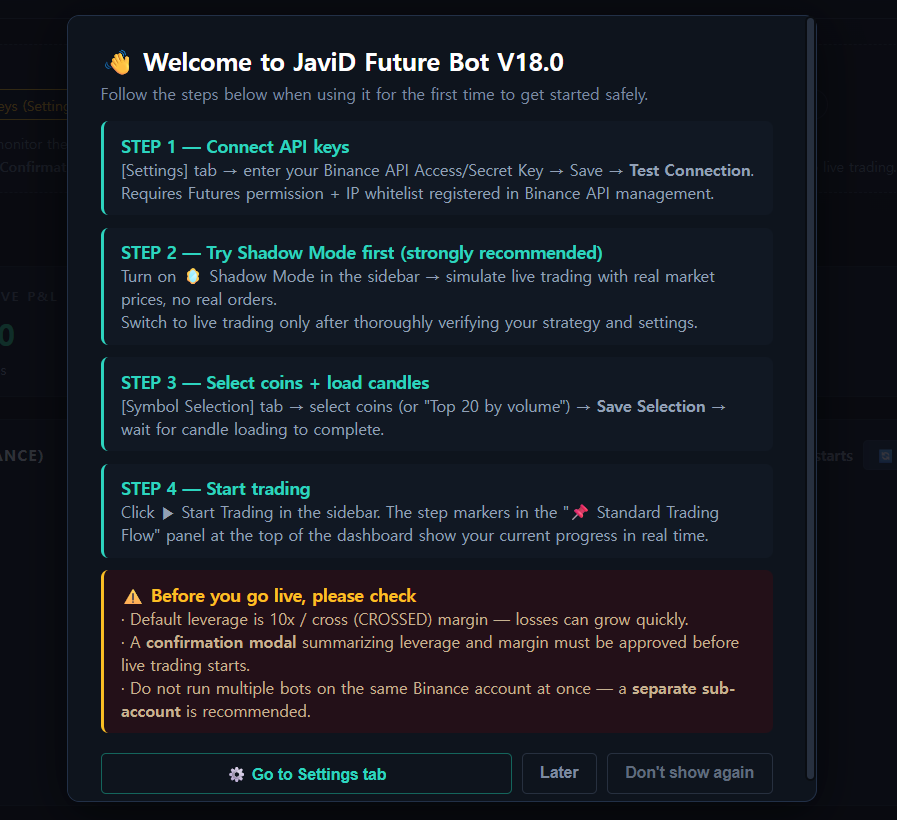
First-Launch Onboarding
Double-click start.bat. Dependencies install automatically on first run, then your dashboard opens in the browser, ready to configure. No coding knowledge required.
Step 2
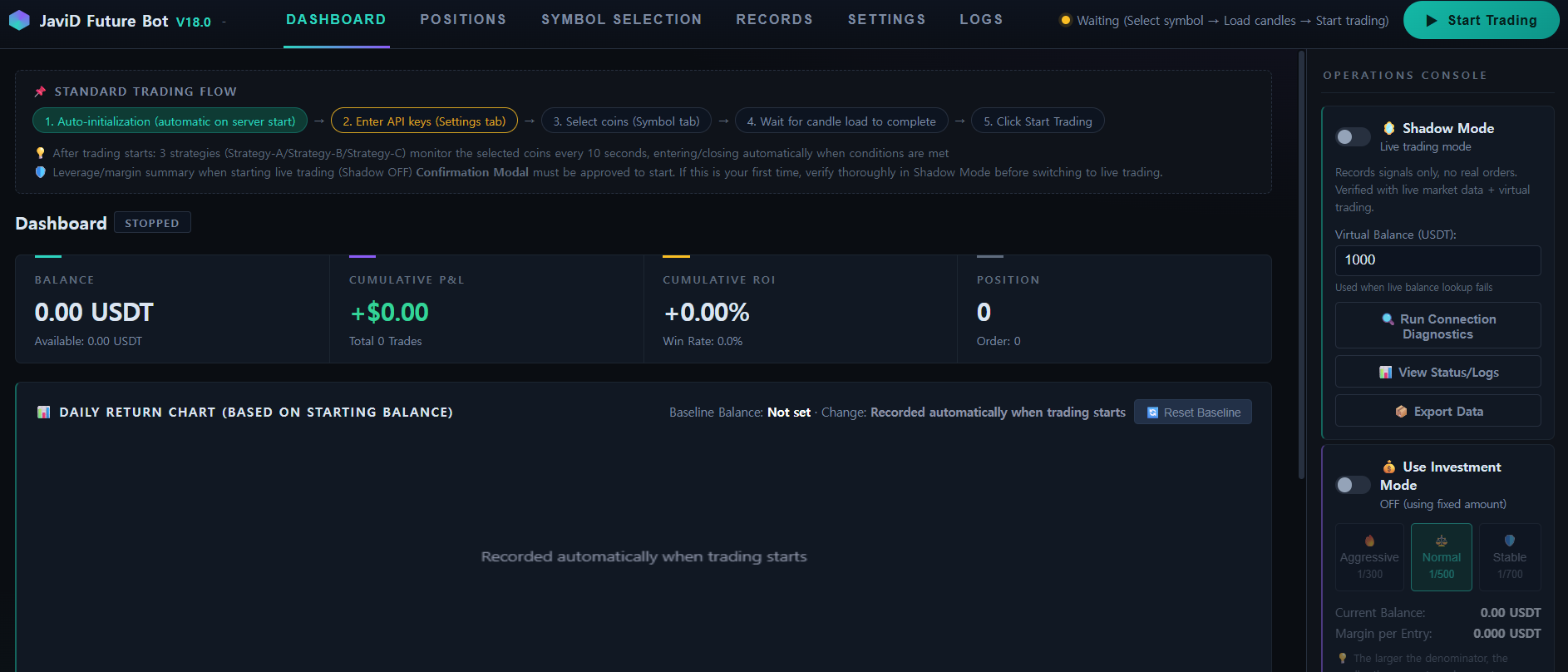
Main Dashboard
Balance, cumulative P&L, win rate, and open positions — all visible at a glance, updating live as the bot runs.
Step 3
Investment Mode
Aggressive, Normal, or Stable — pick how much of your balance each entry risks. The bot adapts to you, not the other way around.

Step 4
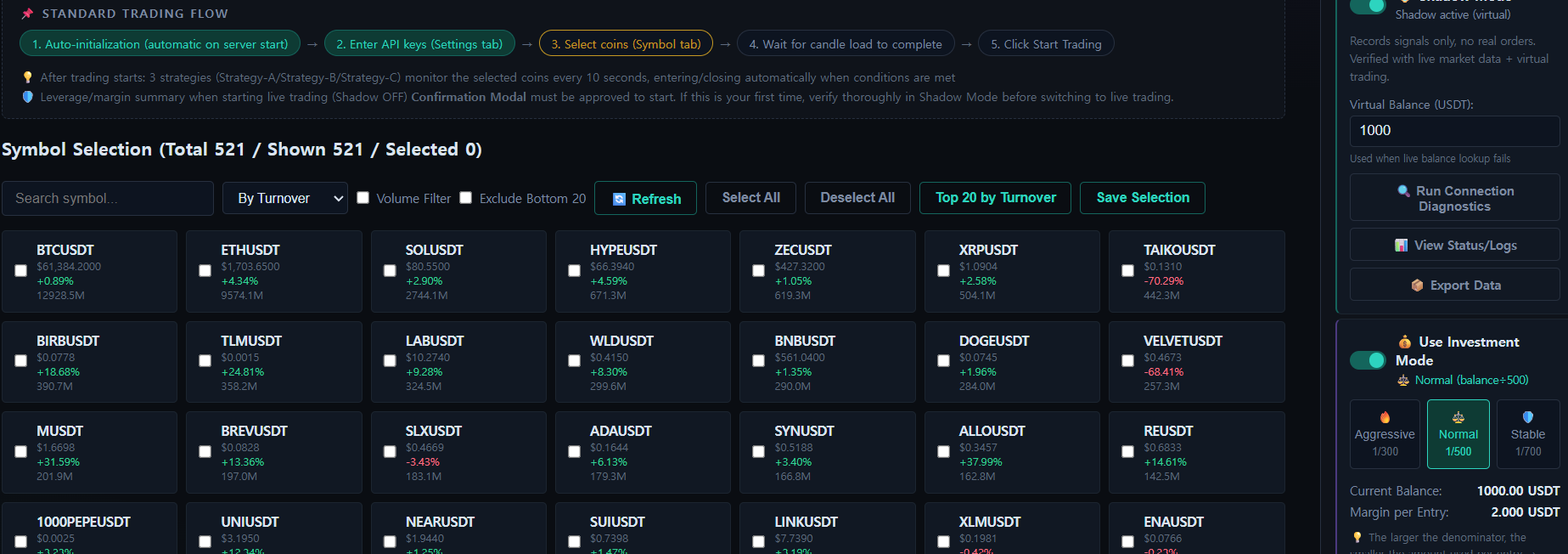
Symbol Selection
Pick your own coins, or hit "Top 20 by Turnover" once and you're done. Track positions across dozens of pairs simultaneously.
Step 5
Shadow Mode, Running Live
Every strategy trades against live market data with a virtual balance — real signals, real timing, zero real orders. Watch it work for as long as you need before a single real dollar is on the line.